MCP in Simple Words: What Is Model Context Protocol and Why Does It Matter?
4 min read
This article in other languages: Русский
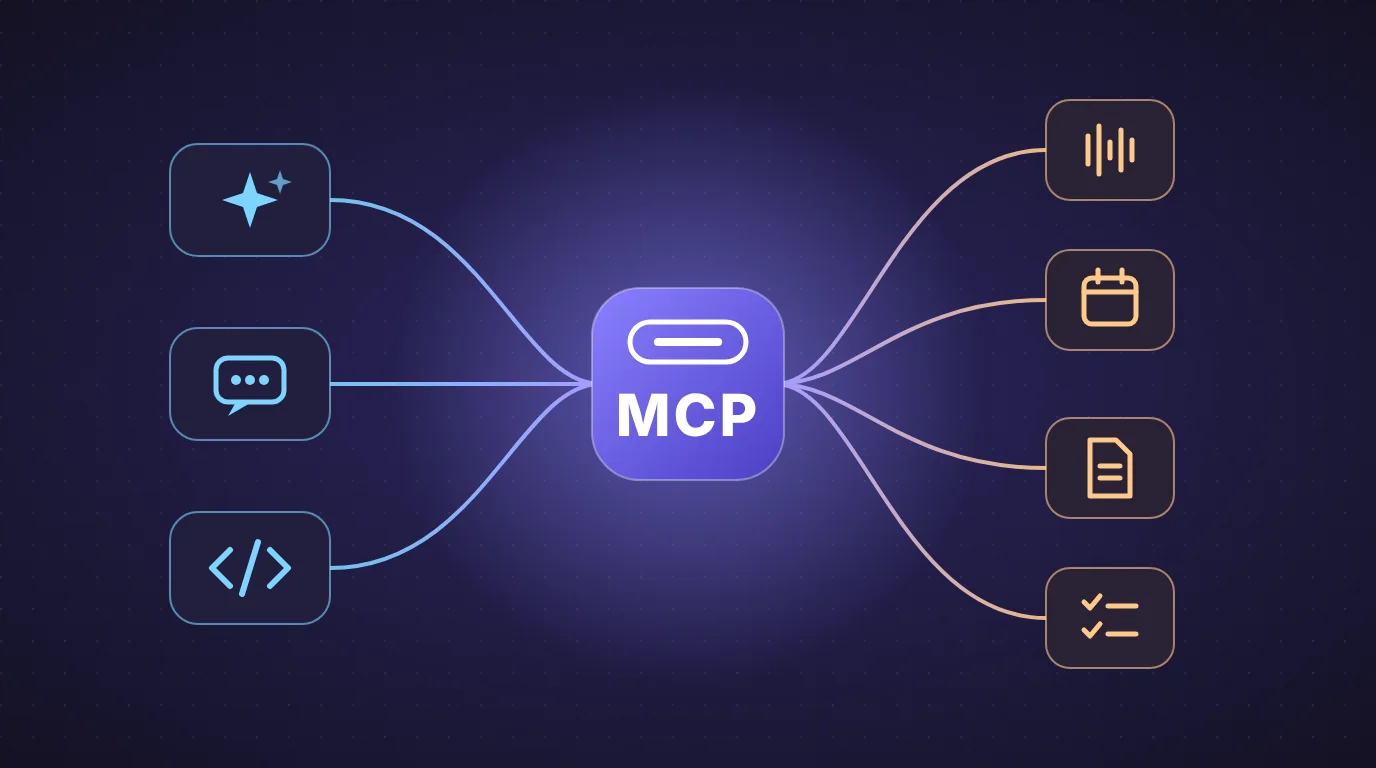
Short answer: MCP (Model Context Protocol) is a common “plug” that lets AI assistants connect to other apps and data in the same standard way. Instead of every assistant needing a custom connection to every app, they all speak one shared language.
If you have heard people call it “the USB-C of AI”, that is a good picture, and the rest of this article builds on it.
The problem MCP solves
An AI assistant on its own knows only what it was trained on and what you paste into the chat. It cannot see your calendar, your task tracker, your documents or your meeting notes unless someone connects it to them.
Before MCP, every connection was custom work. If there were several AI assistants and many apps, each pair needed its own connector. Anthropic described this as an “N×M” problem: many assistants times many tools equals a huge number of separate integrations.
MCP replaces that with one standard. An app builds one MCP connection, and any assistant that supports MCP can use it.
The USB-C analogy
Think about phone chargers before USB-C: a different cable for every device. USB-C gave everyone one connector that works across devices.
MCP does the same for AI:
- The assistant is the laptop with a USB-C port.
- The app or data source (meetings, files, a database) is the device you plug in.
- MCP is the standard connector between them.
How it works: three roles
MCP has three parts, and you only need to remember their jobs:
- Host. The AI application you use, for example an AI assistant or a coding tool.
- Client. A small component inside the host that keeps a connection to one server.
- Server. A program that exposes a tool or some data to the assistant. It can run on your computer or remotely.
They exchange messages in a standard format (JSON-RPC 2.0), so you do not need to care about the details to use it.
What can an MCP server offer?
In simple terms, a server can give the assistant:
- Tools: actions it can perform, such as searching, creating a task or running a calculation.
- Resources: content it can read, such as documents or an FAQ.
- Prompts: ready-made instructions for common tasks.
A simple example
Imagine you want an assistant to help with a project. With MCP, the flow looks like this:
- You ask a question in your assistant.
- The assistant sees which MCP servers are connected and what each one can do.
- It asks the right server for the information or action.
- The server returns the result, and the assistant uses it in its answer.
You stay in one place, and the assistant reaches out to the apps for you.
Who uses MCP?
Anthropic introduced MCP on November 25, 2024. OpenAI adopted it in March 2025, and Google DeepMind has adopted it too. In December 2025, Anthropic donated MCP to the Agentic AI Foundation, a fund under the Linux Foundation, which means it is no longer controlled by a single company.
MCP and Dicta
Dicta supports MCP: according to its developers page, Dicta can be connected to AI assistants that support MCP, so you can work with your meetings from an assistant you already use.
That matters because meetings hold a lot of decisions that otherwise stay in recordings and notes. Dicta already records meetings, transcribes them by speaker in Uzbek, Russian and English, and creates an AI summary with decisions and tasks. MCP is the bridge that lets an assistant reach that meeting knowledge, instead of you copying and pasting it.
Is MCP safe?
MCP is powerful because it lets an assistant read data and take actions, and that is exactly why you should be careful:
- Connect only servers you trust. A malicious server can try to mislead an assistant (this is a kind of prompt injection).
- Check what permissions you give. Allow only the data and actions the task needs.
- Review actions before they are executed, especially anything that sends, changes or deletes something.
- Keep software updated. Security problems have been found and fixed in MCP tools, and security agencies have warned that MCP adoption has moved faster than its security model.
The protocol itself now includes security requirements such as OAuth-based authorization, but safe use still depends on what you connect.
Frequently asked questions
What does MCP stand for?
Model Context Protocol.
Is MCP an AI model?
No. It is a standard way for AI assistants to connect to apps and data, not a model.
Do I need to be a developer to use it?
Not necessarily. Developers build MCP servers, but you use them through an assistant that supports MCP.
Is MCP only for Claude?
No. It started at Anthropic but is an open standard used by other companies too.
Does Dicta support MCP?
Yes, according to Dicta’s developers page.
Try it with your meetings
Start by recording a meeting in Dicta, then see how an assistant can help you work with the results.
Start for free → · For developers
Sources: Model Context Protocol on Wikipedia; Dicta developers page.
Try Dicta yourself
Record, transcribe and get an AI summary: who said what and who owes what. Signing up is free.